


How to Install SentinelOne Endpoint Protection
- Sep 27, 2025
- 2 min read
Updated: Nov 21, 2025
After purchasing SentinelOne for your business, the next step is installing the agent on your computers and servers. SentinelOne makes this simple through its management console. At East Coast Cybersecurity, we guide our clients through setup so they can start protecting devices within minutes.
Here’s a step-by-step guide on how to install SentinelOne.
Step 1: Complete Your Purchase and Onboarding
Once you buy SentinelOne licenses from our store, we’ll create your SentinelOne tenant. This tenant is your secure management portal where you download agents, monitor endpoints, and manage security policies.
If you haven’t purchased yet, you can start here: https://www.eastcoastcybersecurity.com/endpointsecurity/buy-sentinelone-cybersecurity
Step 2: Log in to the SentinelOne Console
You’ll receive an email with your login credentials for the management console.
Go to the portal link provided.
Sign in with your credentials.
Set up multi-factor authentication (MFA) if prompted.
Step 3: Navigate to Packages
Inside the SentinelOne console:
From the left-hand menu, go to Sentinels.
Click on Packages.
You’ll see a list of installers for different operating systems.

Step 4: Download the Correct Installer
Choose the installer for your device’s operating system:
Windows (.exe or .msi)
macOS (.pkg)
Linux (.rpm or .deb, depending on your distro)
Download the installer package to the device you want to protect.
Step 5: Install the Agent
On each endpoint:
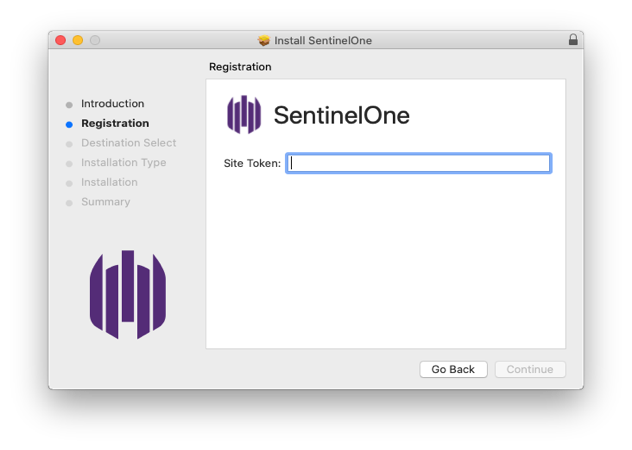
Run the installer file you downloaded.
Follow the prompts the installation is fast and requires little input.
The agent automatically connects back to your SentinelOne tenant using the embedded site key.
Step 6: Verify Device Enrollment
After installation:
Go back to the SentinelOne console.
Under Sentinels, confirm that the new endpoint appears in the list.
Check that its status is Active and that it’s reporting to your tenant.

Step 7: Repeat Across All Endpoints
Repeat the same process for every device you want to protect. SentinelOne requires a 5 endpoint minimum, and if you’re deploying to 50+ endpoints, we can arrange volume discounts — just request a quote.
Pro Tips for Deployment
Test on one machine first before rolling out widely.
Use Packages page often — you can always download fresh installers here.
Automate large installs with Group Policy, RMM tools, or command-line silent installs.
Need Help?
At East Coast Cybersecurity, we don’t just sell SentinelOne — we help businesses deploy and manage it. If you’d like assistance with installation or want us to manage everything for you, contact us for remote or onsite support.
👉 Call (508) 635-0169 or Contact Us.


Comments