
Sensitive data does not stay neatly inside a file server. It moves through inboxes, SharePoint libraries, OneDrive folders and Teams collaboration. Over time, sharing links, guest access and mailbox permissions can become difficult to track.
DataScope’s Microsoft 365 add on brings those sources into the same governance workflow as your Windows file shares, with the platform running on your own server.
Find sensitive information across Microsoft 365
DataScope scans selected Exchange Online user and shared mailboxes, including messages and supported attachments. Mailbox owner reports provide masked examples and links to open affected messages in Outlook. Owners can review and clean up messages, then a later scan shows what remains.
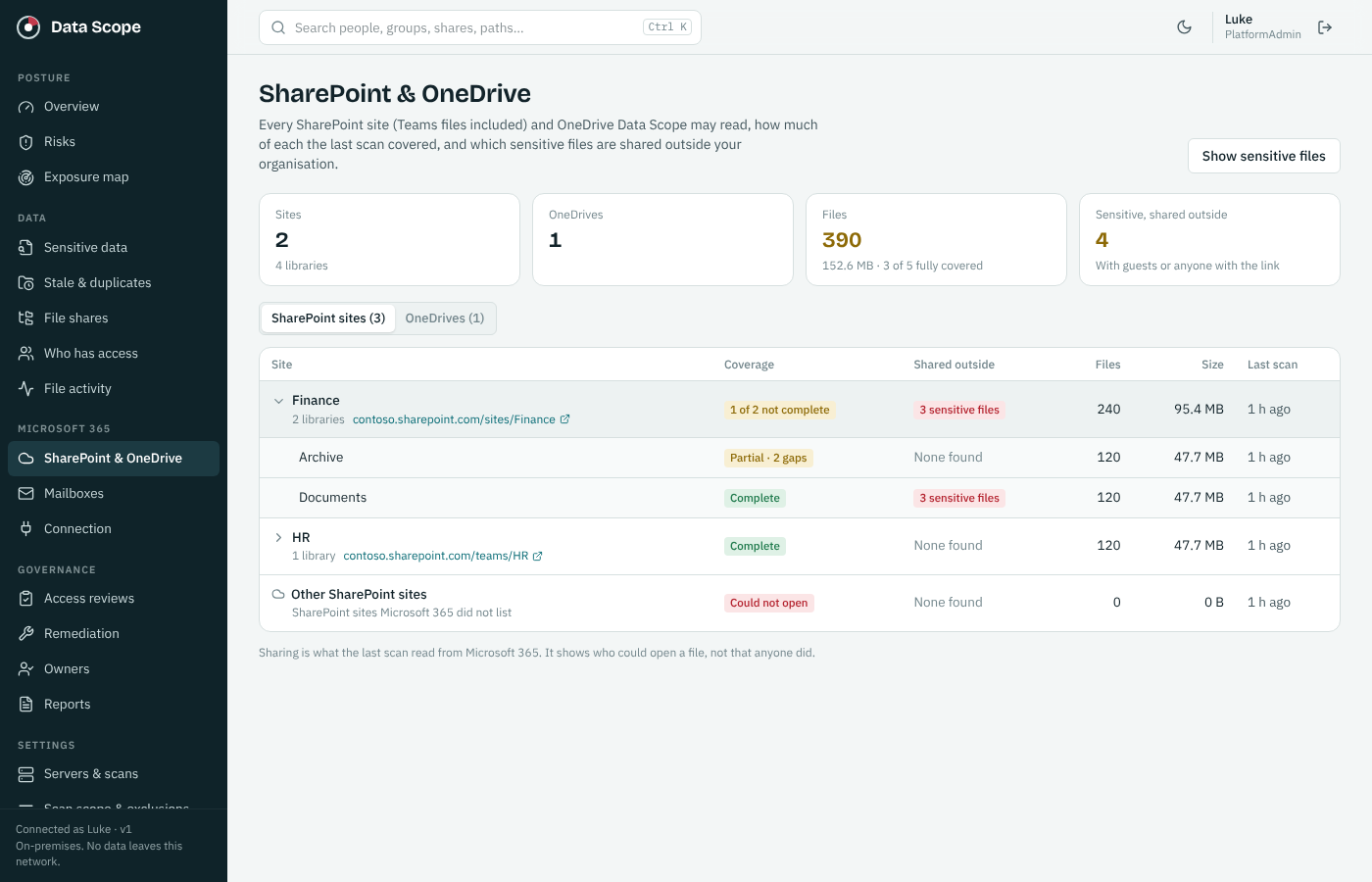
SharePoint and OneDrive discovery extends that visibility to cloud files, including Teams files stored in SharePoint. Findings stay connected to scan coverage so your team can see what was inspected and where gaps remain. Online archive mailboxes are not scanned, and encrypted email is shown as uninspected.
Connect sensitive data with sharing and access
A sensitive document deserves closer attention when it is shared outside its intended audience. DataScope helps identify sensitive files shared with external guests or anyone with a link, based on the sharing information readable by the last scan.
Group visibility adds owners, direct members and guests to the picture. Your team can review public groups, groups without owners and guest membership associated with sensitive files.
Optional mailbox delegate collection shows Full Access, Send As and Send on Behalf permissions. That connects sensitive email findings with another important question: who has access to the mailbox?
Sharing evidence shows who could access information at the last scan. Collected activity provides a separate view of recorded use.
Prepare for Copilot by reviewing exposure
A Copilot rollout is a useful opportunity to review sensitive information shared too broadly. DataScope’s Copilot readiness view highlights sensitive SharePoint and OneDrive files associated with Everyone groups, organization links, broadly shared libraries and public Teams sites.
- Identify sensitive content with broad sharing.
- Locate the file, library or site permission behind the finding.
- Review the business need with the responsible team.
- Make approved changes in Microsoft 365.
- Use a later scan to review the updated evidence.
This assesses recorded sharing exposure. It does not simulate Copilot responses or guarantee that every exposure has been found. Email is outside this readiness view, unread sharing can leave gaps, and public Teams visibility requires group collection.
Find gaps in Microsoft Purview sensitivity labeling
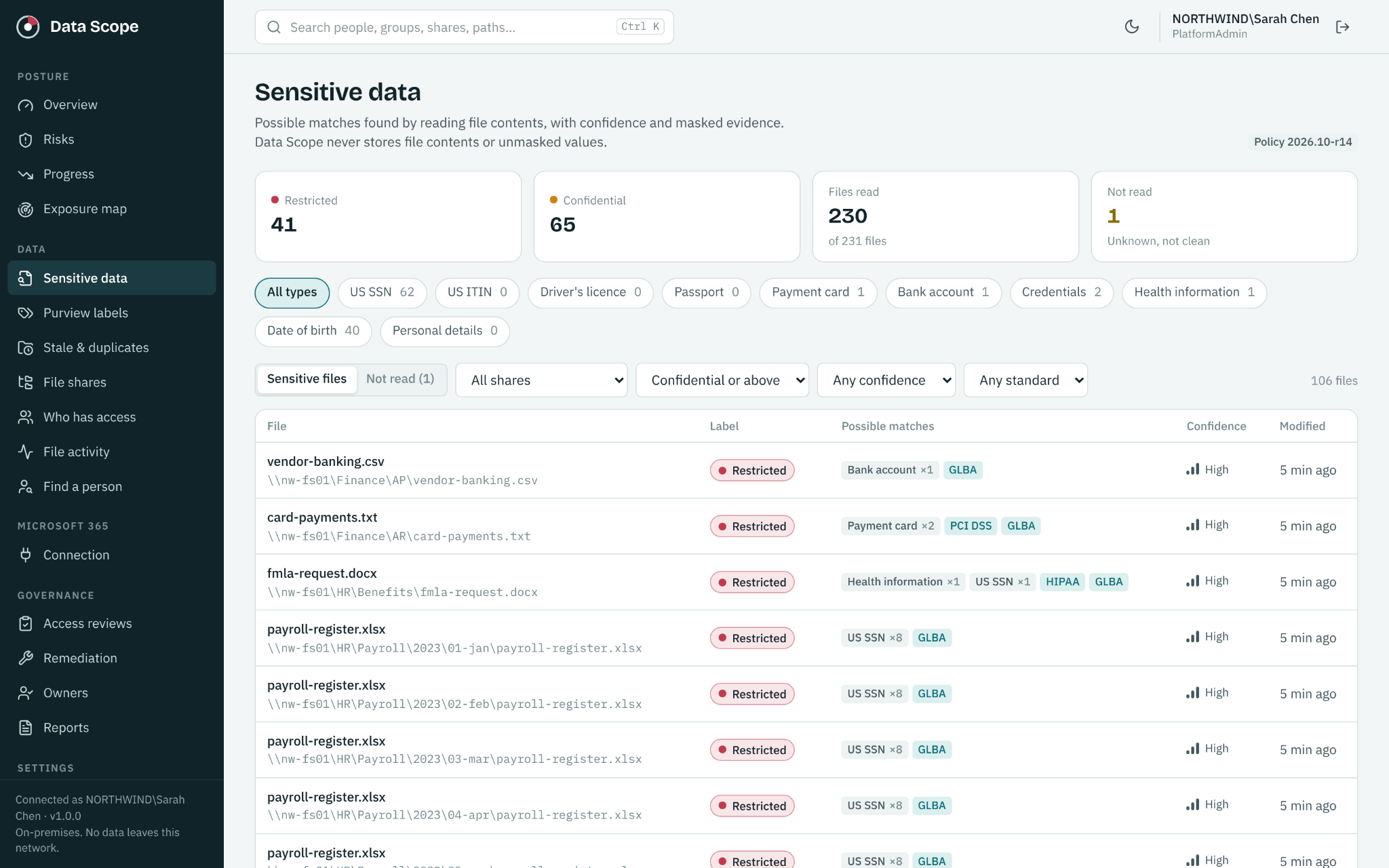
DataScope reads embedded Purview sensitivity labels from supported files and compares them with discovered sensitive content. That helps identify sensitive files with missing labels or labels mapped below the detected sensitivity level.
Your team can filter findings by label and review coverage. Unknown label levels are not judged, and content that cannot be inspected remains separate from confirmed findings. DataScope does not apply, remove or change labels; those actions stay in your Microsoft tools.
Review activity and unused access
With the required collection enabled, DataScope brings together file opens, downloads, changes, deletions, sharing events and recorded delegate or administrator mailbox activity. Alerts can surface bursts of activity, guests opening many files or access across multiple mailboxes.
Unusual activity analysis compares a person with their own established baseline and provides supporting events for investigation. Alerts are leads to review, not proof of misuse.
Unused access analysis can highlight direct file or library grants and mailbox delegates with no recorded use once a full 90 days of activity coverage is available. Collection depends on tenant permissions, enabled sources and available audit records.
Keep the finding connected to follow up
Cloud risk triage helps prioritize external sharing, organization wide exposure, public Teams findings and sensitive mailbox access. Accept, snooze or route a finding to IT with a recorded reason.
Progress reporting tracks exposure, labeling gaps and remediation over time. That gives management a clearer account of what was found, what was reviewed and what changed.
Start with a focused Microsoft 365 review
Choose the sites, OneDrives or mailboxes that matter most. Confirm permissions and collection settings, review the coverage and assign owners to the findings. Expand the scope as your team establishes a repeatable process.
Read about keeping the platform in your own environment, or compare annual pricing and features. The combined On Prem and Microsoft 365 subscription has a $10,000 annual minimum; use the pricing calculator for your licensed user count.
See your next step in DataScope
Explore sensitive data, access and review workflows using sample data. No signup or connection to your environment is required.