
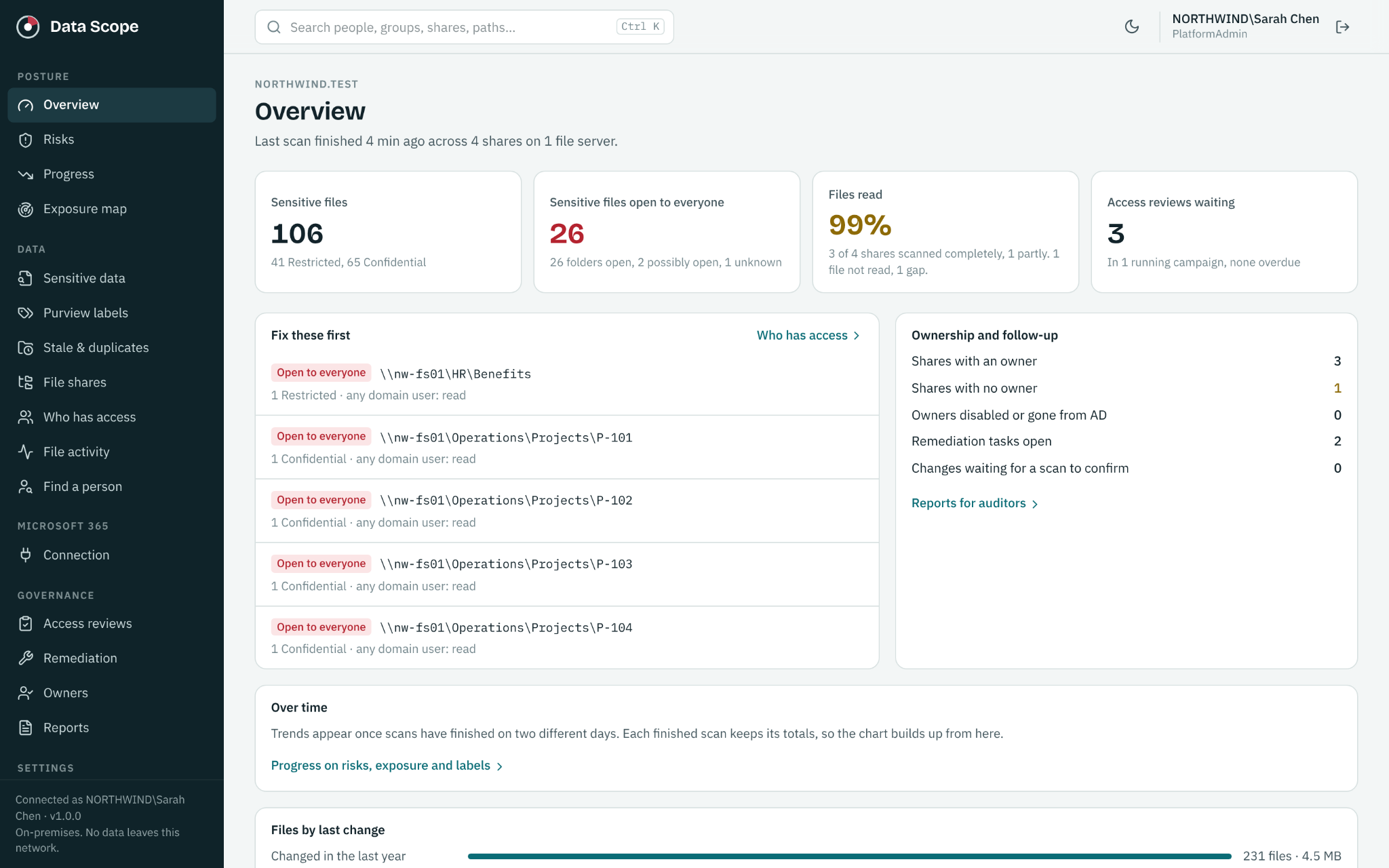
Sensitive information builds up quietly. Payroll spreadsheets sit in shared folders. Customer records end up in email attachments. Employees change roles, but their old access remains.
For a small IT team, understanding that exposure can become a project nobody has time to finish. DataScope data governance software brings discovery, access visibility, ownership and ongoing reviews into one platform, with predictable annual pricing and deployment on your own server.
Start with the questions that matter
Practical data governance starts with four questions: Where is our sensitive information? Who can access it? Who should decide whether that access is appropriate? Can we show that we addressed the problem?
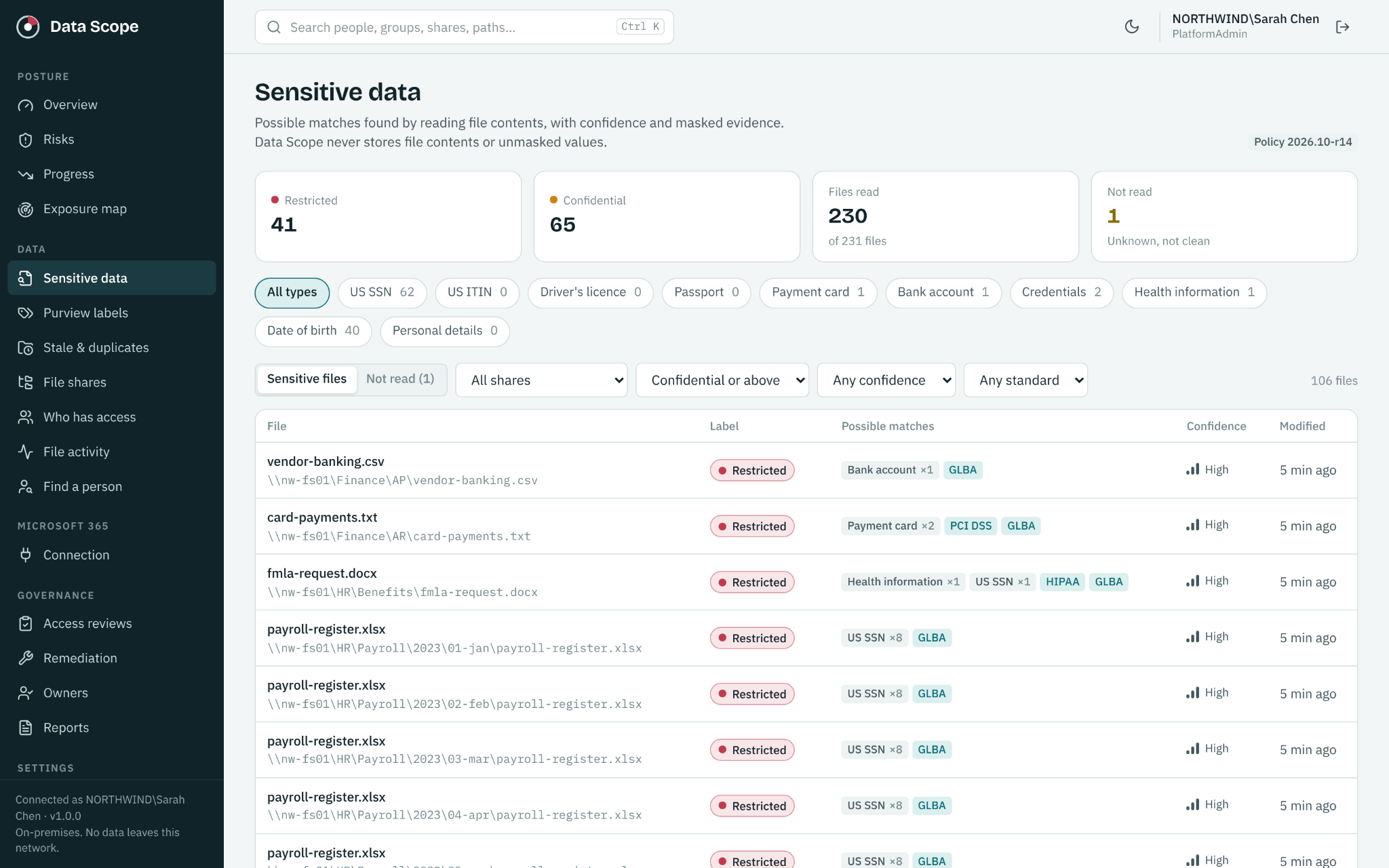
DataScope connects those answers. It discovers supported personal, financial, health and credential data patterns on Windows file shares. Coverage includes text and data files, current and legacy Office documents, PDFs, images using OCR, saved email, Outlook PST and OST files, and supported ZIP, 7 Zip and RAR archives. Custom rules let your team identify organization specific words, phrases and patterns.
Matched evidence is masked rather than retaining raw sensitive values. Unsupported, encrypted or unreadable content remains visible as a coverage limitation.
Understand access beyond the group list
A folder’s permissions rarely tell the whole story. DataScope combines Windows share permissions, NTFS permissions and Active Directory membership, including nested groups, to explain how someone can reach a location.
For example, a payroll folder may be available through a group nested inside another group. Connecting that access path with sensitive data gives your team a specific issue to review. Our guide to Active Directory groups and file share access explains why membership alone is only part of the picture.
Put decisions with the right owner
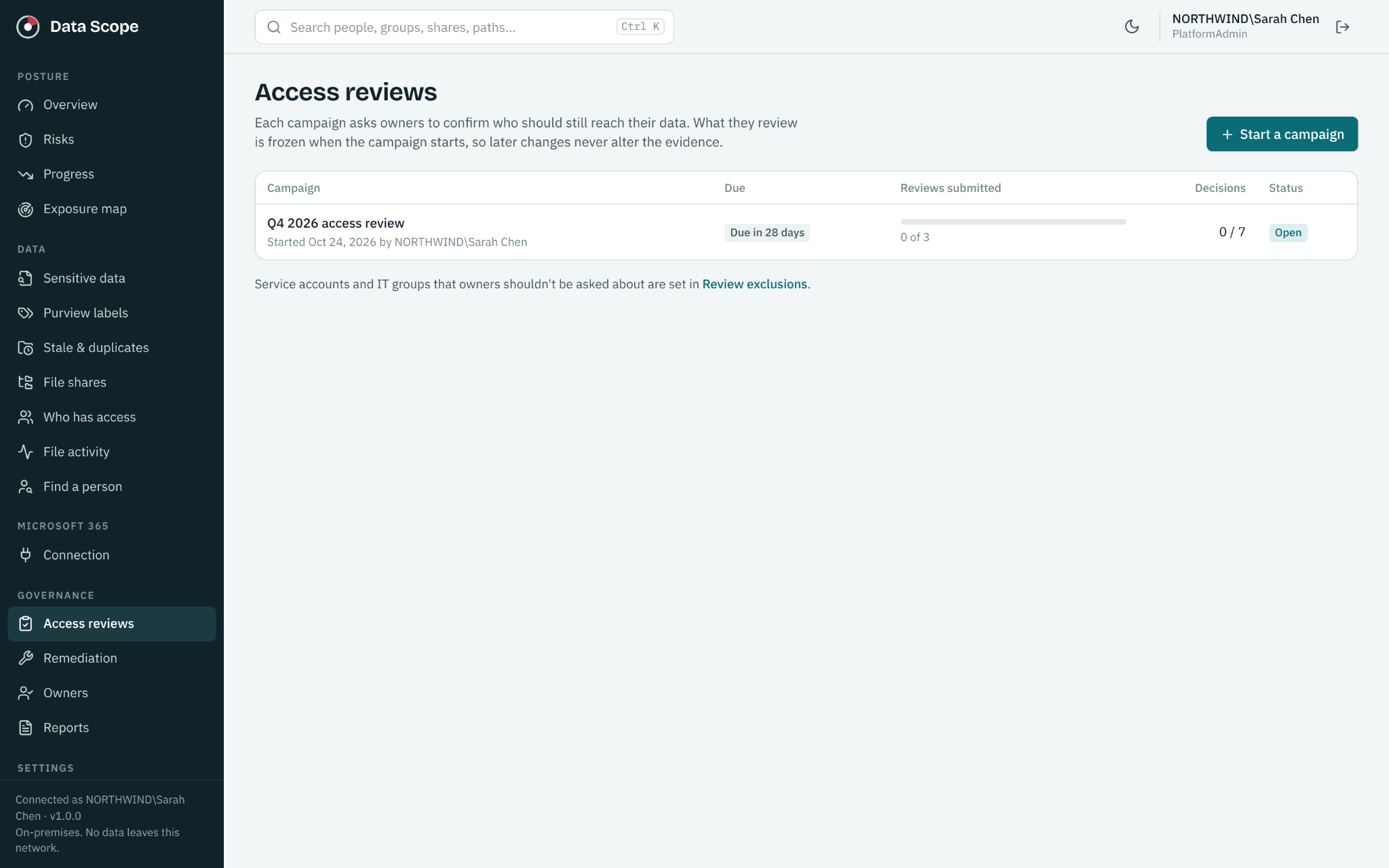
Business owners review a fixed evidence snapshot and record Keep, Remove, Investigate or Exception decisions. Administrators make approved changes, and a later scan helps verify the result. Learn more about how a data access review works.
Keep governance moving between reviews
- Activity and alerts: collect Windows Security events agentlessly to review reads, writes, deletes, denied attempts and permission changes. Surface collection gaps and suspicious patterns.
- Unusual behavior: compare activity with an individual’s established baseline and review the supporting events.
- Data cleanup: find old and likely duplicate files using age and metadata.
- Ownership and remediation: assign owners and backups, prioritize findings, record decisions and track follow up.
- Evidence and progress: export reports, follow exposure over time and retain governance actions in a tamper evident audit trail.
- Scan controls: define scope, exclusions, schedules and throttling to fit your environment.
The Microsoft 365 add on extends coverage to Exchange Online, SharePoint and OneDrive, including Teams files stored in SharePoint. It adds sharing visibility, Copilot readiness, mailbox delegates, group and guest context, and activity analysis. See our Microsoft 365 governance guide.
Pricing you can plan around
DataScope On Prem starts at $20 per licensed user per year, with a $5,000 annual minimum. Microsoft 365 coverage starts at an additional $20 per user per year, with a $10,000 combined annual minimum.
| Licensed users | On Prem | On Prem + Microsoft 365 |
|---|---|---|
| 100 | $5,000 minimum | $10,000 minimum |
| 250 | $5,000 | $10,000 |
| 500 | $9,000 | $18,000 |
| 1,000 | $16,000 | $32,000 |
The annual rate is $20 per user up to 499 users, $18 for 500 to 999, and $16 for 1,000 to 2,499. The selected tier applies to every licensed user. Microsoft 365 uses the same licensed user count and adds the same per user rate. Contact ECC for 2,500 or more users.
Enabled accounts belonging to people or services count toward licensing. Disabled accounts and shared mailboxes are free. Support and updates are included, along with a remote session for installation and major upgrades. These examples cover the software subscription; plan separately for your own server and administration. Pricing shown as of October 24, 2026. Use the current pricing calculator for your environment.
Start with one useful outcome
Choose a sensitive area, such as HR or Finance. Discover what is there, understand access, assign an owner and follow approved changes through to verification. Expand from that starting point into a repeatable governance process.
DataScope runs in an environment your organization controls, so the platform fits into your own infrastructure and operating practices.
See your next step in DataScope
Explore sensitive data, access and review workflows using sample data. No signup or connection to your environment is required.